


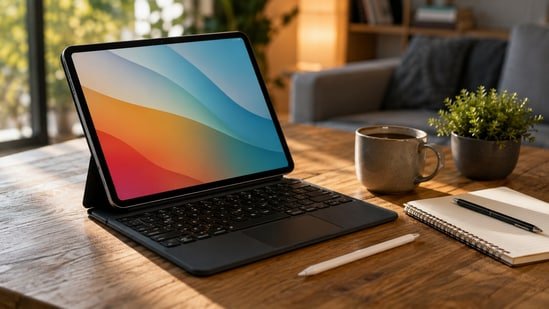
For years, my laptop has been the centerpiece of my workday. Here I write articles, answer emails, conduct research, edit videos, and have dozens of Chrome tabs open at the same time. But one question has been nagging me: Can I use a tablet as my primary work device for a week? Today’s tablets are powerful enough to handle heavy workloads, so I figured now would be the perfect time to test this idea out.


Don’t delay upgrading
Explore personalized EMI offers on your next purchase
So I put away my laptop for an entire week and relied solely on my tablet for work and entertainment. Some things really surprise me, while others remind me why laptops still exist. Here’s how the experiment works.
Typing feels different, but touching changes the experience
Since most of my job involves writing, this is the part I worry about the most. A tablet keyboard can get the job done, but there’s no denying that it feels different than a regular laptop. The key travel is short, the layout is a little cramped, and you never get the same level of typing comfort. Even after a week of use, I still prefer typing on the laptop.
What I didn’t expect is that I rarely use the trackpad. I found myself just touching the screen instead of moving the cursor around. Opening Chrome tabs, selecting text, scrolling through long articles, switching between apps, or responding to emails feels faster with touch. In many cases, tapping the screen is actually faster than using a trackpad.
By the end of the week, I stopped thinking about it at all. The typing experience has never been laptop-like, but the touchscreen makes up for it in ways I didn’t expect. Coupled with the excellent battery life, I can get through an entire workday without reaching for the charger.
Multitasking is great, but it’s still not suitable for laptops
A typical work day for me involves more than just writing an article. I usually have about 15 Chrome tabs open to research, another document open to take notes, Spotify playing in the background, Slack notifications coming in, images downloaded, and sometimes even YouTube running while I cross-check information. On my laptop, it’s just another day at work.
Tablets can handle multitasking, but not with ease. Split-screen mode works well, floating windows are useful, and switching between apps is fairly fast. The problem starts when everything needs to stay open at the same time. I found myself constantly jumping between apps instead of simply browsing another window.
And then there are smaller things. Some sites have mobile versions loaded, some desktop features aren’t available, dragging files between apps requires more effort, and managing downloads isn’t as simple as on Windows. None of these stopped me from getting my work done, but they did slow me down.
If I’m only writing one article, a tablet is perfect for that. But in the days of multiple deadlines, research, image editing, and constant back and forth between apps, I started to miss the flexibility of a laptop.
Entertainment is where tablets totally win
The moment I finish my work, I simply remove the keyboard, sit back on the couch, and the tablet instantly transforms into an entertainment device. No need to open and close the laptop or balance it on your lap. Watching movies, binge-watching TV series, browsing social media, reading articles, and even playing casual games will feel more comfortable.
The speakers on modern tablets are also surprisingly good. I rarely felt the need to connect headphones when watching Netflix or YouTube, and the larger display made everything feel more immersive than watching on my phone.
This is something that laptops simply cannot match. A productivity machine during the day, within seconds it transforms into a device perfect for relaxation. This versatility ended up being one of my favorite parts of using the tablet throughout the week.
Creative work and file management still favor laptops
Managing large folders, downloading assets, organizing images, uploading files to different platforms, and using external storage all take a lot more effort than I normally would on a laptop. Tablet software has improved a lot over the years, but desktop operating systems are still far better at handling files.
The same thing happens with creative work. Editing a few images isn’t a problem, but larger projects remind me why I still have a laptop on my desk. Professional software is still more powerful on Windows or macOS, and managing multiple files feels easier with these apps.
I also realized how often I connect accessories during a normal work day. External SSDs, USB drives, memory cards, and other peripherals are typically only available on laptops. When using a tablet, I occasionally need adapters or extra steps to get everything working properly.
None of these issues are major issues on their own, but together they remind me that tablets are designed around simplicity, while laptops are designed for flexibility. If your job often involves heavy creative tasks or complex file management, a laptop is still a better choice.
So, would I replace my laptop?
After spending a full week working exclusively on my tablet, I have a completely different perspective on what these devices can actually do.
If your job mostly involves writing, email, browsing the web, attending meetings, watching videos, and some light editing, a tablet can easily replace a laptop. It’s lighter to carry, has a long battery life, and when the workday is done, it becomes one of the best entertainment devices you can own.
But my workflow goes beyond that. I regularly use dozens of browser tabs, large research projects, image editing, file management, and desktop applications that run better on a laptop. This is where I started missing my computer.
research and expertise
I’ve been covering consumer technology for years and have reviewed a variety of laptops and tablets at various price points. In this buying guide, I compare each device based on performance, display quality, battery life, build quality, portability, and overall value for money. Before listing these recommendations, I also analyzed customer reviews on Amazon to understand the real-world user experience.
Similar articles for you
Need a new laptop before next semester? Amazon Super Deals Day Deals Can Help
Cheap laptops become surprisingly good, but only if you choose wisely
Think twice before buying an 8GB RAM laptop in 2026, and here’s why
Disclaimer: At Hindustan Times, we help you stay updated with the latest trends and products. Hindustan Times has affiliate partnerships, so we may get a share of the revenue when you make a purchase. We are not responsible for any claims relating to the products under applicable law (including but not limited to the Consumer Protection Act 2019). The products listed in this article are in no particular order of preference.