

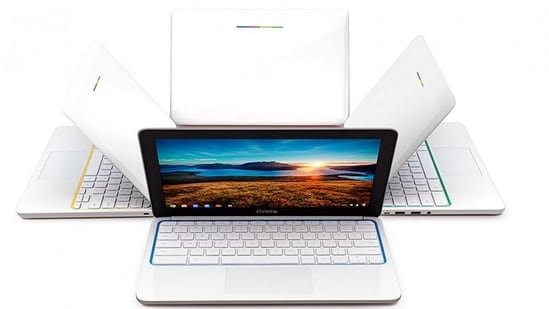
Laptops powered by ChromeOS have become a practical choice for users who rely on web tools and cloud storage. Google-powered Chromebooks focus on browsing, document work, video calling, and streaming without the overhead of a traditional operating system. Now, multiple brands are offering these laptops on Flipkart in different price ranges. Here are some Chromebook models from Acer, Asus, HP and Lenovo, starting at around Rs. 11,000, serving students, remote workers and everyday internet users.


The Acer Chromebook Plus CB515-2H laptop comes with a 13th generation Intel Core i3-1315U processor and 8GB of RAM. It supports multitasking across multiple browser tabs and web applications on ChromeOS. The laptop features a 15.6-inch Full HD display, which is suitable for work and video streaming. The Chromebook Plus series also includes AI tools for video calling and system optimization. It is suitable for users who mainly use online platforms and Google services. The laptop is available on Flipkart for around Rs. 44,899, which is less than Rs. 52,999.
ASUS Chromebook CX15 (CX1505) focuses on portability and long use time. It weighs approximately 1.7 kg and offers up to 11 hours of battery life on a single charge. The device runs an Intel Celeron N4500 processor and is designed for ChromeOS tasks such as browsing, email, document editing, and online courses. The construction follows military-grade durability standards, which is helpful for everyday travel or campus use. It’s an entry-level Chromebook that caters to students and basic computing needs.
The HP Chromebook x360 14a features a 360-degree hinge to switch between laptop and tablet modes. The device includes a 14-inch touch screen and a backlit keyboard. It runs under ChromeOS on an Intel Celeron processor with 4GB RAM and 64GB eMMC storage. The battery lasts up to 12.5 hours, depending on usage. Google Assistant integrates voice commands and search capabilities. The laptop is available on Flipkart for around Rs. 19,990.
Lenovo Chromebook 14M868 is powered by MediaTek Kompanio 520 octa-core processor, paired with 4GB LPDDR4X RAM and 128GB eMMC storage. The system handles browsing, document work, and streaming via ChromeOS. It features a 14-inch full HD anti-glare display and a 47Wh battery that lasts up to 13.5 hours. Connectivity includes Wi-Fi 6, USB-C port, and HD webcam. The laptop weighs around 1.3 kg and is available on Flipkart for Rs 1.3 Cr. 11,000 Rs 22,000.
Lenovo IdeaPad 3 Chromebook 15IJL6 is powered by Intel Celeron N4500 processor, equipped with 8GB LPDDR4X RAM and 128GB eMMC storage. The system supports everyday networking tasks such as browsing, document work, and streaming media. It comes with a 15.6-inch Full HD IPS anti-glare display and a 47Wh battery that provides up to 10 hours of use. Connectivity options include Wi-Fi 6, Bluetooth 5.2, HDMI, USB-C port, and microSD card reader. The laptop is priced at approximately Rs. 16,000 Rs 22,000 on Flipkart.
ASUS Chromebook Flip C214MA-BU0704 is equipped with Intel Celeron N4020 processor, 4GB RAM and 32GB eMMC storage. It runs ChromeOS and is used for browsing, note-taking, and streaming tasks. The device features an 11.6-inch touchscreen with a 360-degree hinge that allows for tablet use. It also meets MIL-STD-810G durability standards and offers up to 12 hours of battery life. Connectivity includes a USB-C port, USB-A, and microSD slot. The laptop is priced between Rs. 20,000 Rs 26,000 on Flipkart.
HP Chromebook x360 14b-CD0011TU runs on Intel processor N100 and comes with 4GB LPDDR5 RAM and 128GB UFS storage. It supports browsing, document editing, and web-based work via ChromeOS. The 14-inch HD multi-touch display supports 360-degree hinges for laptop, tablet and tent modes. The device includes Wi-Fi 6, Bluetooth 5.3, USB-C port, USB-A, and microSD slot. The 47Wh battery provides over 10 hours of use and supports fast charging. The laptop is available on Flipkart for Rs. 25,000 Rs 36,000.
Things to consider before buying a Chromebook
1. Processor and performance: Check the processor before choosing a Chromebook. Entry-level models use Intel Celeron or MediaTek chips for browsing, document editing, and video streaming. If you work with multiple tabs or web applications, consider models with Intel Core processors and higher RAM.
2. Memory and storage: Chromebooks mainly rely on Google Drive for cloud storage. Most devices offer 4GB or 8GB RAM and eMMC storage. If you have many browser tabs open or run Android apps, choose a model with 8GB of RAM and at least 128GB of storage.
3. Display size and resolution: Display size affects portability and comfort. Compact models around 11-12 inches are suitable for travel and students. Larger screens like 14-inch or 15.6-inch displays are better for document work, video streaming, and multitasking. Full HD resolution delivers clearer text and video.
4.Battery life: Battery performance is important for users who work outside the home or office. Many Chromebooks last between 10 and 13 hours. Check the battery capacity and manufacturer claims to make sure the laptop can last a full day of work or study.
5. Build and Portability: If you carry your laptop around frequently, weight and build quality are important. Lightweight models around 1.2kg to 1.5kg are more suitable for travel, classes or meetings. Some Chromebooks also include durability certification for daily use.
6. Convertible or standard design: Some Chromebooks feature a 360-degree hinge that allows the screen to rotate into tablet or tent mode. These models facilitate reading, presentation, and media streaming. Standard laptop designs focus primarily on keyboard-based work.
7. Connections and ports: Look for Wi-Fi standard, USB-C port, USB-A port, HDMI or microSD card slot. These options help connect external monitors, storage drives or accessories without the need for additional adapters.
8. Software and Updates: Chromebooks run ChromeOS, which receives regular updates from Google. Check your device’s Automatic Update Expiration (AUE) period to find out when your laptop will receive software and security updates.
Disclaimer: At Hindustan Times, we help you stay updated with the latest trends and products. Hindustan Times has affiliate partnerships, so we may get a share of the revenue when you make a purchase. We are not responsible for any claims relating to the products under applicable law (including but not limited to the Consumer Protection Act 2019). The products listed in this article are in no particular order of preference.